Manuscripts, Folders, Documents, Drafts
A Manuscript is the writable Document tree inside a Project. It lives at <project>/manuscript/. The pieces:
- Folders group Documents and other Folders.
- Documents are the Markdown leaves you actually write in.
- Drafts are read-only snapshots of a Document at a point in time.
Folder
Section titled “Folder”A Folder is a group with an ordered set of children. It can carry an optional title and colour. On disk: a real directory.
You might use Folders for:
- Acts — Act One, Act Two, Act Three (three top-level Folders, chapters under each).
- Parts — Part I, Part II, Part III.
- Sections — Prologue / Body / Epilogue.
- Drafts of a section —
drafts/,cut-scenes/,archive/.
Folders are also navigable as a Folio — Trove can stitch a Folder’s Documents into one continuous scroll for end-to-end reading.
Document
Section titled “Document”A single Markdown file is one Document. Documents have:
- Status —
todo,draft,active, ordone. Sets the colour-coded dot you see in the binder. - POV — optional point-of-view label.
- Story-time — optional in-fiction time stamp (“the day before the trial”).
- Location — optional pointer to a Location Entity from your World.
- Drafts — zero or more snapshots.
On disk, that’s:
manuscript/ act-one/ chapter-01.md chapter-02.md chapter-03.md act-two/ ...Each .md is plain Markdown. Frontmatter (the colon-separated block at the top) carries status, POV, and the other structured fields. Open the file in any other Markdown editor and it Just Works.
Status
Section titled “Status”A Document’s status drives more than colour:
todo— placeholder. You know this scene needs to exist but you haven’t started.draft— actively being written; the bulk of your work-in-progress.active— current focus. A Sprint will default to the active Document.done— finished for this pass.
Status is a workflow signal, not a snapshot. To capture “this version of the text”, use a Draft.
Draft (the snapshot, not the status)
Section titled “Draft (the snapshot, not the status)”A Draft is a read-only point-in-time copy of a Document. Right-click a Document → Snapshot draft to capture one. They live under .snapshots/ with a filename like chapter-03.draft-2026-05-11.md.
Use them when you’re about to make a major change and want a safety net — restructuring a chapter, cutting a scene, trying a different POV. You can compare the Draft to the current Document or restore from it.
Editor
Section titled “Editor”The editor is Tiptap-based (ProseMirror under the hood) and saves Markdown directly. Headings, lists, blockquotes, links, footnotes — all standard CommonMark plus a few sensible extensions.
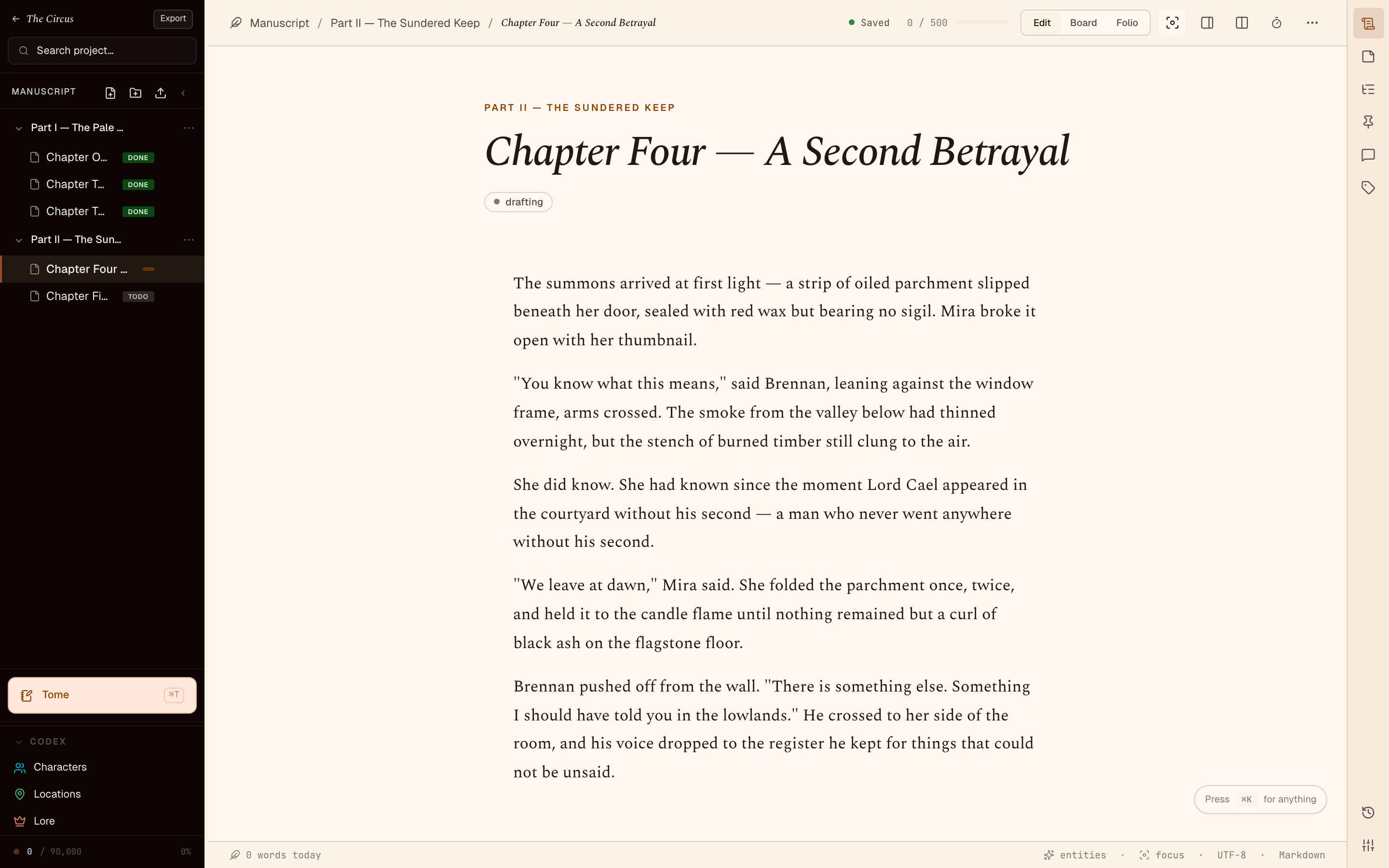
Inline shortcuts work as you type:
#→ H1##→ H2>→ blockquote-→ bulleted list**bold**,*italic*,`code`
The editor surfaces:
- Word count for the Document and the Sprint.
- Sticky Notes — small typed, coloured notes pinned to the Document.
- Comments — inline annotations on a text range.
- Outline — the headings of this Document, for in-doc navigation.
On disk, again
Section titled “On disk, again”The recurring point: every Folder is a real directory, every Document is a real .md file, every Draft is a real .md snapshot. There is no database. If Trove went away tomorrow your Manuscript would still be a folder of Markdown files you can read with anything.